Best friendsBest Friends Photo to Video
Turn a photo of you and your friends into a short clip: a group hug, a high five, everyone bursting out laughing. Upload one group photo where every face is clear. For a dance or meme version, try the trending effects.
Make yours
Short answer
Clipanimo turns one photo of you and your friends into a short clip: a group hug, a high five, everyone bursting out laughing, or a full dance from a trending effect. It is made for the group chat, a birthday or farewell post, or a throwback on Instagram and TikTok. You need one group photo where every face is clear, and every friend in it should be an adult who is fine with it.
Ideas you can copy
Everyone bursts out laughing
The easiest group moment: someone says something and the whole photo cracks up.
“The friends all burst out laughing at the same time, leaning on each other, the camera slowly pushes in, bright natural light”
The group hug
For a photo where you are standing close: you pull each other in.
“The friends pull each other into a big group hug, smiling and laughing, the camera slowly circles around them”
High five
For two or three friends: a big high five and a laugh.
“The two friends turn to each other and high five, then laugh, natural motion, sunny outdoor light”
Cheers at dinner
For a restaurant or bar photo: glasses go up and clink together.
“The friends raise their glasses and clink them together over the table, smiling, warm restaurant lighting”
Wave goodbye
For a farewell or graduation post: everyone waves at the camera.
“The friends smile and wave at the camera together, a light breeze moves their hair, golden hour light”
Jumping photo
For a beach or travel shot: everyone jumps at once.
“The friends jump into the air together and land laughing on the beach, waves rolling in behind them, bright summer light”
How to make it
- 01
Pick one group photo
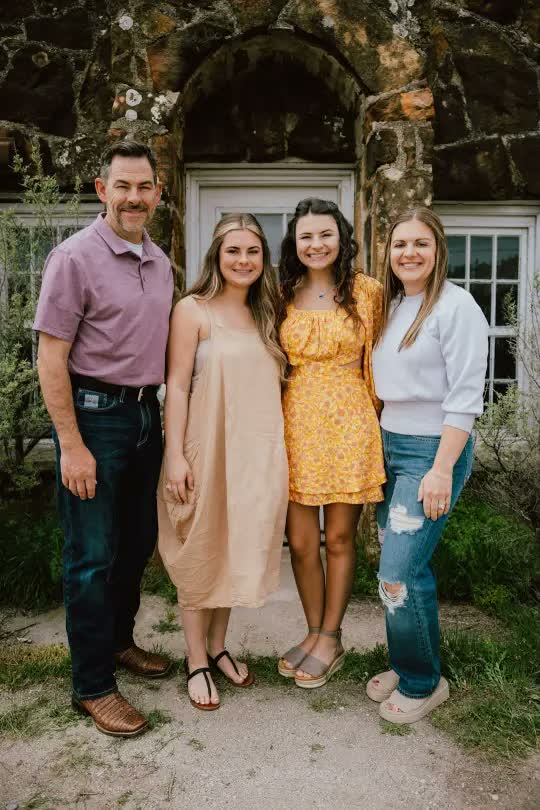
Use one image with everyone in it and every face clear. Two to four people usually works best.
- 02
Write one shared action
Describe something everyone does together, like a hug or a laugh, or copy a prompt from this page. For a dance, pick a group effect.
- 03
Pick a model
Pro or Cinematic holds several faces better. Choose a model with sound for laughter or music.
- 04
Drop it in the group chat
The video is ready in 1 to 5 minutes and waits in My videos. Download the MP4 with no watermark.
Photo tips
- Faces should be large enough to see clearly; a wide shot with tiny faces gives weaker results.
- Give everyone the same action; separate actions for each friend rarely all come out.
- Two to four people works best. Bigger groups can work, but faces are more likely to change.
- Avoid photos where someone is half cut off at the edge.
- Name the setting in the prompt (beach, dinner, park) so the background moves naturally.
- Ask your friends before posting; it is their face too.
Or use a ready-made effect
Questions
Can I upload a separate photo of each friend?
No. Clipanimo uses one photo per video, so use one group photo with everyone in it.
How many friends can be in the photo?
Two to four works best. A bigger group can work, but each face gets smaller and is more likely to change.
Do my friends need to agree?
Yes. Only upload photos of adults who agreed to it. Photos of anyone under 18 or anyone who did not consent are not allowed.
Can we do a dance together?
Yes. Some holiday effects accept group photos and make everyone dance. Most meme effects use one subject.
One friend's face looks different. What now?
Try a photo where that face is larger and well lit, or a stronger model. You can redo an unsatisfying video once for free with the same settings.
Can I add a friend who was not in the photo?
No. The video only uses the people already in your photo.
Is it good for a farewell or graduation post?
Yes. A wave, a hug or a jump makes a short, warm clip for a goodbye post.
Where can I post it?
Anywhere that takes video: group chats, Instagram, TikTok, Shorts. It is an MP4 with no watermark; we recommend an AI label.